

pfSense is a robust open-source firewall and router software distribution based on FreeBSD. Known for its flexibility, scalability, and comprehensive feature set, pfSense has become a go-to solution for both small businesses and large enterprises. By providing a user-friendly interface, pfSense enables users to configure sophisticated firewall rules, manage network traffic, and implement security measures with ease. This article will delve into the key features of pfSense, its support for modern internet protocols like DNS over HTTPS, VPN technologies, plugin capabilities, and best practices for deployment.
Main Features
pfSense integrates multiple functionalities making it an all-in-one networking solution.
Firewall Capabilities
-
Stateful Packet Inspection: pfSense monitors active connections and enforces policies based on the state of network connections.
-
Advanced Filtering: Users can create complex firewall rules to manage traffic effectively, blocking or allowing packets as necessary.
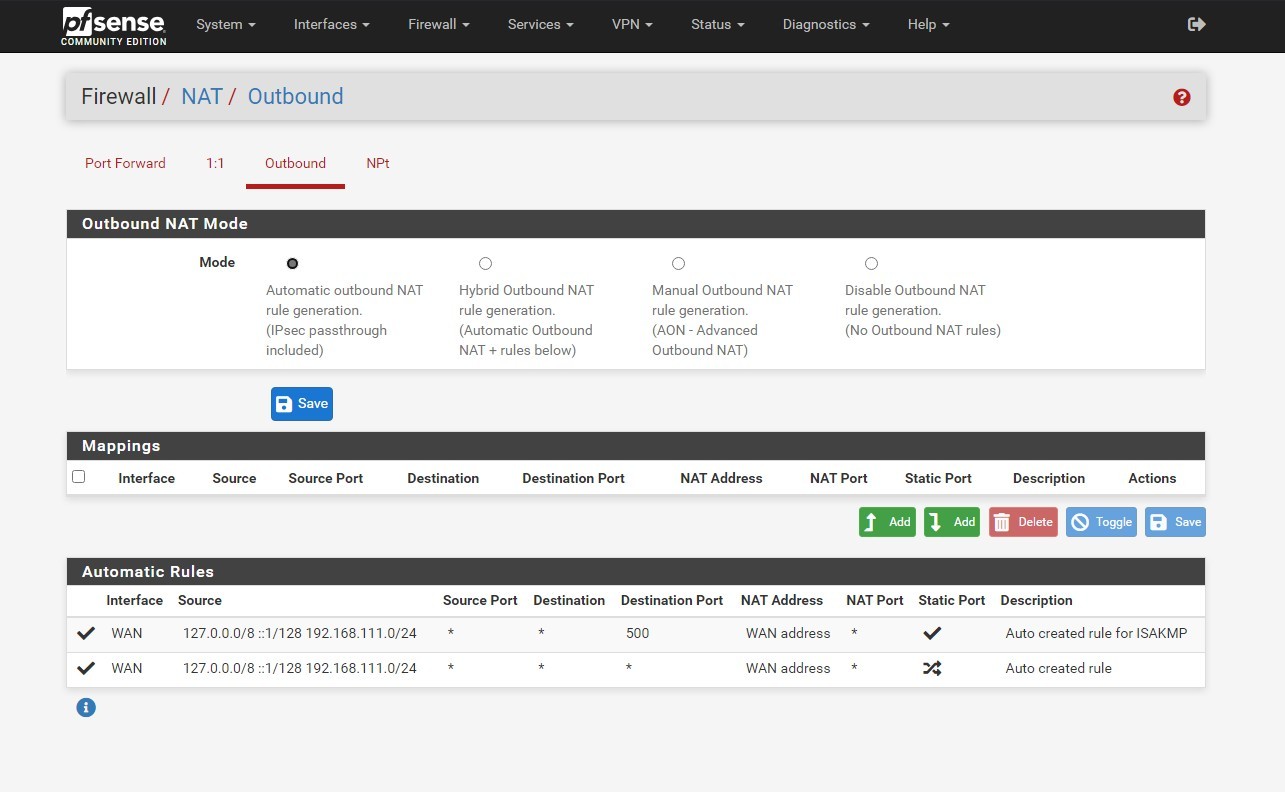 pfSense Firewall
Routing Features
-
Static and Dynamic Routing: pfSense supports standard routing protocols such as RIPv2, OSPF, and BGP, which ensure seamless integration into larger network architectures.
-
Load Balancing: Distributing traffic across multiple WAN connections optimizes performance and can prevent service degradation during high-demand periods.
Traffic Shaping
This feature helps prioritize certain types of traffic, ensuring that critical applications receive the bandwidth they need, enhancing overall network performance.
DNS over HTTPS (DoH)
With growing concerns about privacy and security, DNS over HTTPS (DoH) is an essential feature of pfSense.
Enhanced Privacy
By encrypting DNS queries, DoH prevents eavesdroppers from monitoring which websites users visit, thereby enhancing their privacy. pfSense allows easy configuration of DoH, enabling users to utilize trusted DNS services that support this protocol.
Improved Security
DoH reduces the likelihood of DNS spoofing attacks that may attempt to redirect users to malicious sites. With pfSense, organizations can implement secure DNS solutions directly within their firewall, further hardening their network against potential threats.
VPN Technologies Supported
pfSense provides extensive support for various VPN technologies, making it an excellent choice for secure remote access.
OpenVPN
As previously mentioned, OpenVPN is a flexible and secure VPN protocol that pfSense natively supports. The integration allows users to easily configure remote access for employees or site-to-site connectivity between different offices.
IPsec
pfSense also supports IPsec (Internet Protocol Security) for creating secure connections over the Internet. Its implementation enables users to establish secure tunnels between sites, making it ideal for connecting remote offices or ensuring secure communications for mobile users.
PPTP and L2TP
While not as popular as OpenVPN or IPsec, pfSense supports PPTP (Point-to-Point Tunneling Protocol) and L2TP (Layer 2 Tunneling Protocol), providing legacy support for clients that may require these protocols.
Plugin Capabilities
One of the principal strengths of pfSense lies in its extensibility through plugins.
Package System
The pfSense Package Manager allows users to easily install additional packages that enhance the core functionality. Some notable packages include:
-
Snort: A network intrusion detection system (NIDS) that monitors network traffic for suspicious activity.
-
ntopNG: A network traffic analysis tool that provides insights into bandwidth usage and application performance.
-
pfBlockerNG: A plugin that enhances pfSense's filtering capabilities by blocking unwanted traffic based on geographic location or predefined lists.
Customization
Users can tailor their pfSense installations to fit specific requirements by adding or removing plugins, ensuring a customized user experience.
Monitoring and Troubleshooting
Monitoring the performance and health of a pfSense installation is essential for maintaining a secure network.
Dashboards
pfSense offers customizable dashboards that provide a real-time overview of system performance metrics, active connections, and network traffic. This visual representation helps administrators identify issues before they escalate.
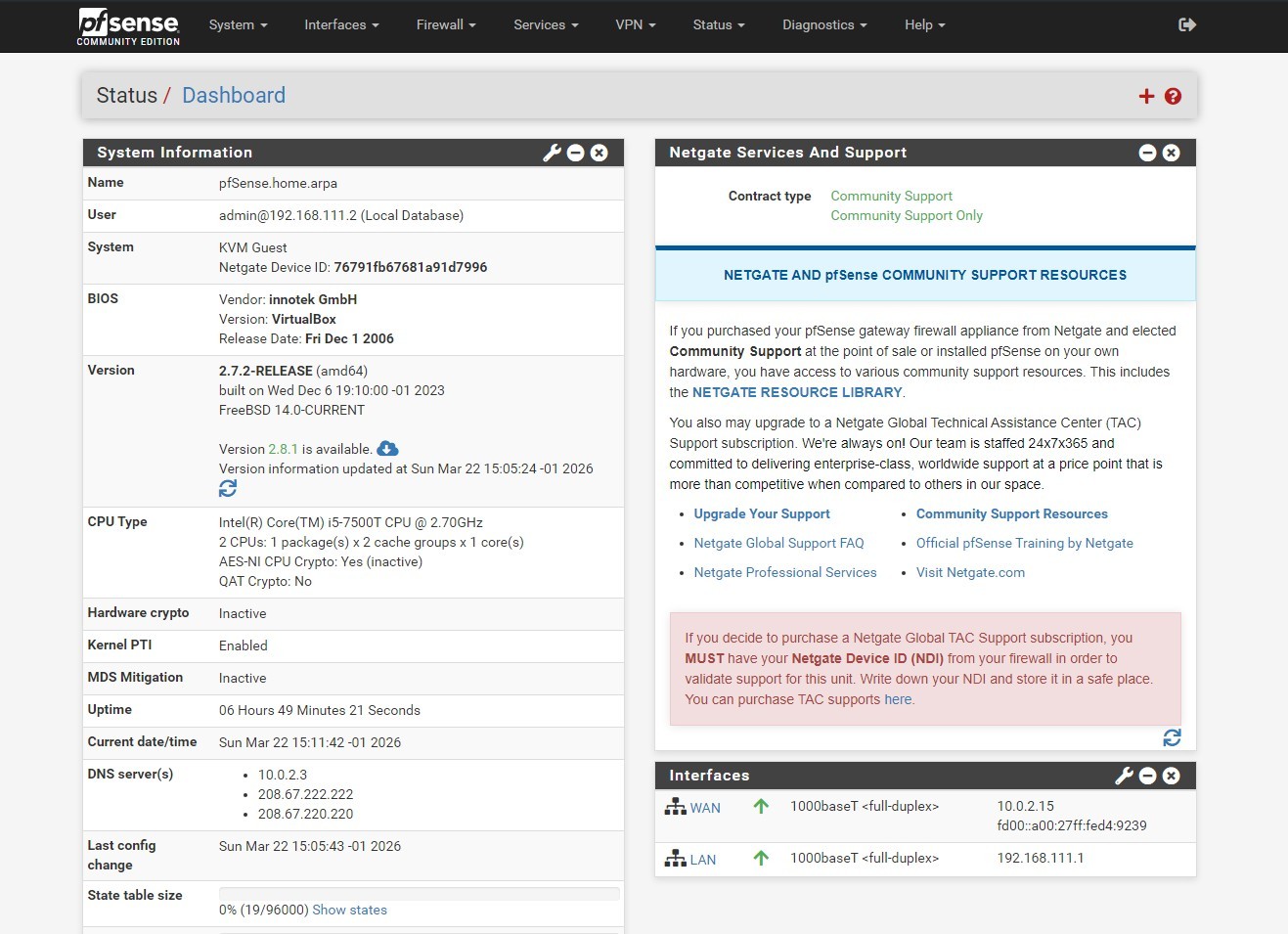 pfSense Dashboard
Logging and Alerts
Built-in logging allows users to keep track of firewall activity, making it easier to troubleshoot problems. Additionally, alerting mechanisms can notify administrators of critical security events, allowing swift responses to potential threats.
Deployment Best Practices
To maximize the effectiveness of pfSense, adhere to established deployment best practices.
-
Hardware Considerations: Ensure that the hardware used meets or exceeds recommended specifications, including CPU, RAM, and network interfaces, to optimize performance.
-
Regular Updates: Regularly update pfSense and its packages to protect against vulnerabilities.
-
Backup Configurations: Regularly back up the configuration settings to prevent data loss from hardware failures or misconfigurations.
-
Documentation and Training: Maintain comprehensive documentation and provide training for network administrators to ensure effective management of the pfSense firewall.
Conclusion
pfSense is a powerful, open-source firewall and router solution that offers an extensive range of features suitable for both small businesses and larger networks. By supporting modern protocols like DNS over HTTPS, versatile VPN technologies, and a plugin system that enhances its core functionalities, pfSense stands out as a reliable option for secure networking. Its user-friendly interface makes it accessible for users of all skill levels, while its robust capabilities cater to advanced networking needs. Adhering to best practices in deployment ensures that organizations can leverage the full potential of pfSense, paving the way for enhanced security and efficient network management.